One of the simplest retrofits. I’d wanted this option for a long time. It’s very convenient to monitor tire pressure and temperature from the cockpit or multimedia screen.
TPMS+/RDKS+ was only fitted on the RS3 — you won’t find this option on the A3 or S3. On the new 8Y body, this option has started appearing across the whole lineup – A3, S3, RS3.
I bought the TPMS kit on AliExpress for $180
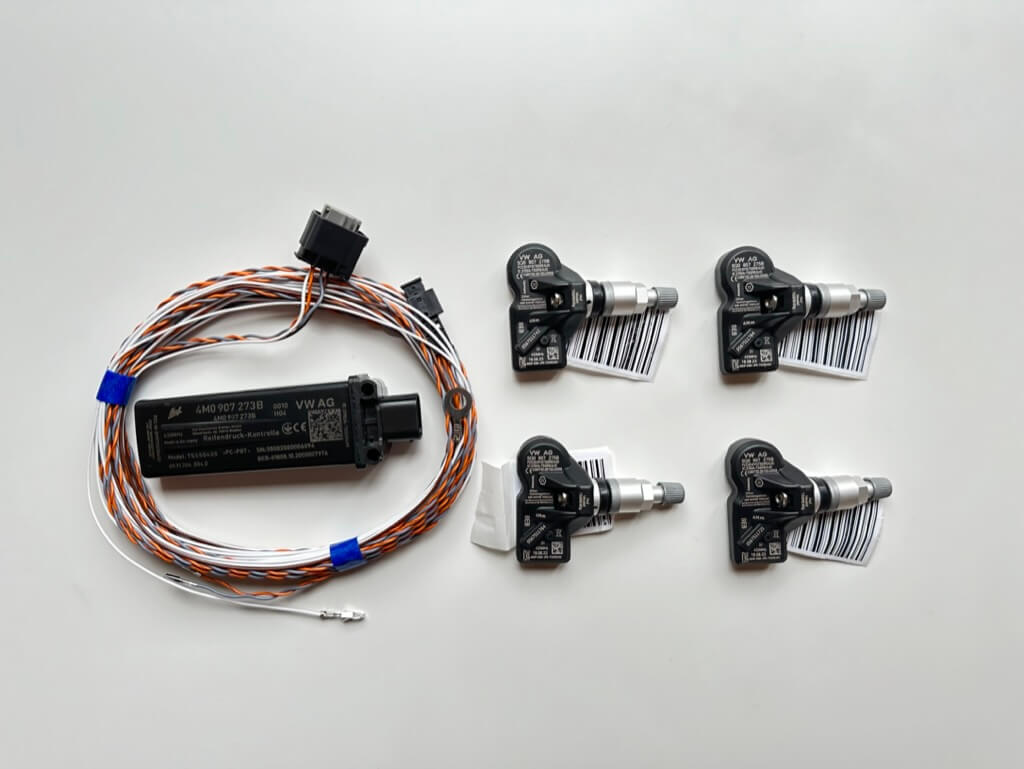
By part number, it breaks down like this:
- 4M0907273B – antenna
- 5Q0907275B – wheel sensor
- A four-wire harness with connectors
The antenna isn’t strictly for the A3 — the RS3/TTRS has its own antenna, 8S0907273, but in fact it’s the same 4M0907273B just with different firmware. The 4M0907273B antenna is used for all Audis; if you want, you can flash it to match 8S0907273, but it works fine as-is. There are also sensors of the latest revision, 5Q0907275F, but again, you won’t notice any difference in operation.
Next I combined the switch to winter tires with sensor installation — I went to a tire shop where they installed the sensors along with new winter tires.
Once home, I opened up the wiring diagram.
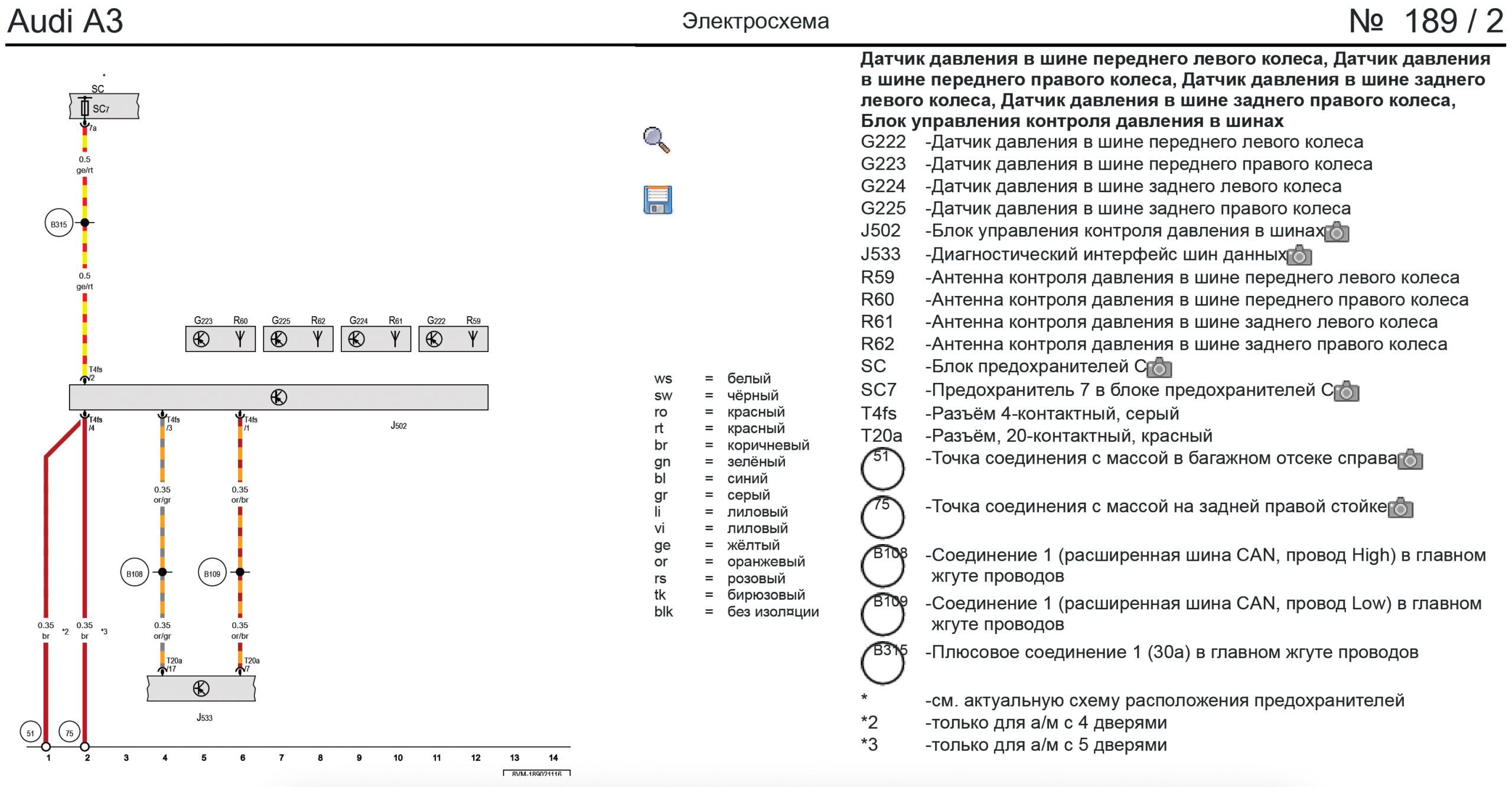
The diagram is fairly simple — the antenna needs: power, ground, CAN Low, CAN High. I really didn’t feel like running wires to the driver’s footwell across the whole cabin, tearing apart half the interior along the way, so I decided to tap into wiring that already exists at the rear of the car.
Since I have Side Assist, the CAN bus wires running to the rear bumper sensors are already there — these wires sit in the harness in the left trunk niche. Ground is right there next to that harness too. For the antenna’s power, I tapped the rear-view camera — it turns out it always has power available; that wire is in the harness in the right trunk niche.
I didn’t want to do twist splices and the like. So I found special wire-tap connectors on AliExpress. Basically all you need to do is lay the wires in them and clamp them shut, that’s it.
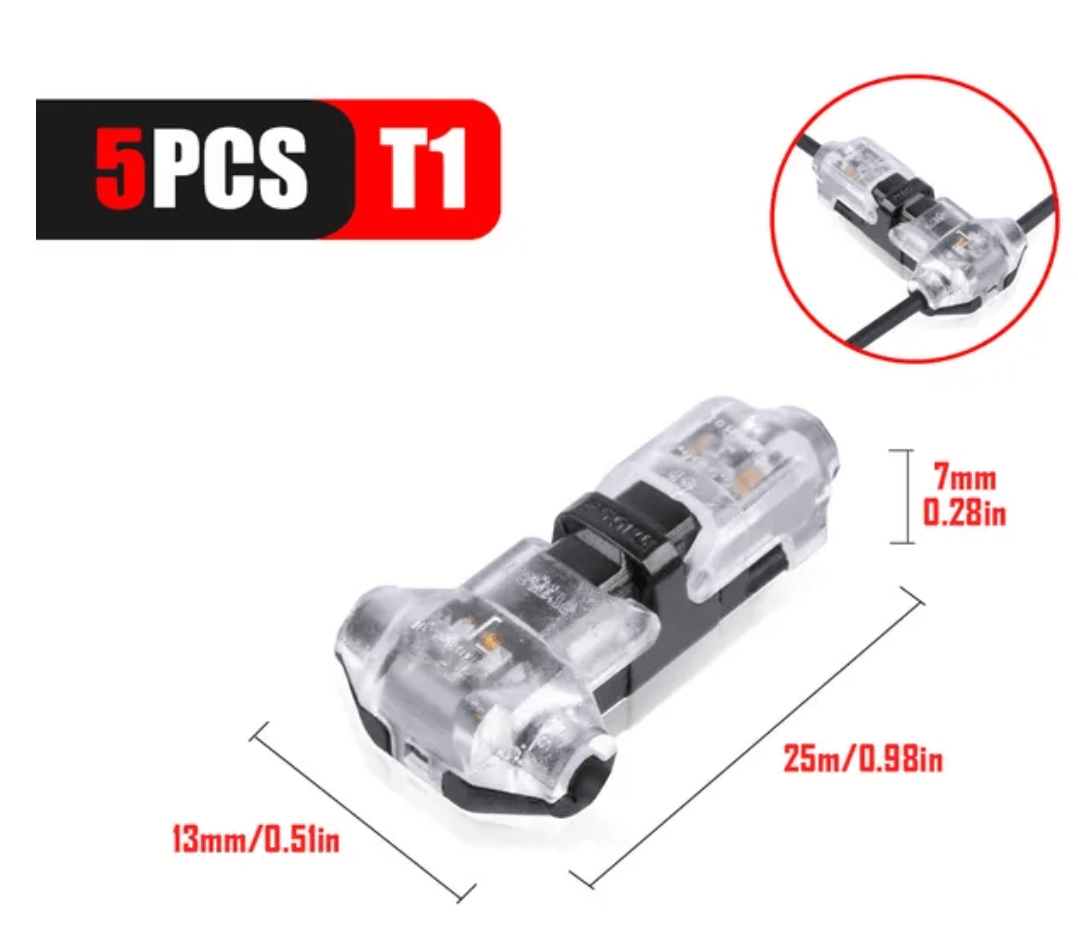
Next, mount the antenna — it should sit in the right trunk niche (from the factory it’s under the car’s floor); secure it however’s convenient for you. The camera’s power is carried by a blue-gray wire — in the harness you can find as many as 3 of them, so try to trace the harness and see where each one leads. I then clamped on a connector and tapped in the white wire from my kit.
Next I ran three wires to the left trunk niche, and there in the wire harness found an orange-gray wire – CAN High and an orange-brown one – CAN Low, and again clamped on a connector and tapped in — in my case the CAN bus wires almost matched by color. Right there near the harness there’s a ground point in the form of a bolt, but I couldn’t get it to unscrew, so I just tapped into the brown wire that ran to that bolt. That wraps up the wiring — next you need to code the control units.
19 Gateway
Adaptations
- Add block 65 Tire Pressure to the list
03 ABS – turn off:
Long coding
-
Byte 27
- Bit 4 Without TPMS (PR. 7K0) OR TPMS High (PR. 7K3)
- Bit 5 Without TPMS (PR. 7K0) OR TPMS High (PR. 7K3)
- Bit 6 Without TPMS (PR. 7K0) OR TPMS High (PR. 7K3)
-
Byte 28
- Bit 7 BAP – TPMS button (PR. 7K1, 7K6, 7K9)
17 Instrument Cluster, turn on/off:
Long coding
-
Byte 3
- Bit 7 Tire Pressure Monitoring System (TPMS) installed
-
Byte 4
- Bit 0 Indirect Tire Pressure Monitoring System (iTPMS) installed
-
Byte 11
- Bit 2 Tire Pressure Monitoring System (TPMS) Information (BAP) installed/active
5F Infotainment
Adaptations
- Car_Function_List_BAP_Gen2-tire_pressure_system_0x07 activated
- Car_Function_List_BAP_Gen2-tire_pressure_system_0x07_msg_bus Databus extended
- Car_Function_Adaptations_Gen2-menu_display_rdk activated
- Car_Function_Adaptations_Gen2-menu_display_rdk_over_threshold_high activated
- Car_Function_Adaptations_Gen2-menu_display_rdk_standstill not activated
Next, restart the MMI, clear the errors, and take a test drive — otherwise the screens won’t show anything and will notify you that tire data will appear once you reach 25 km/h.
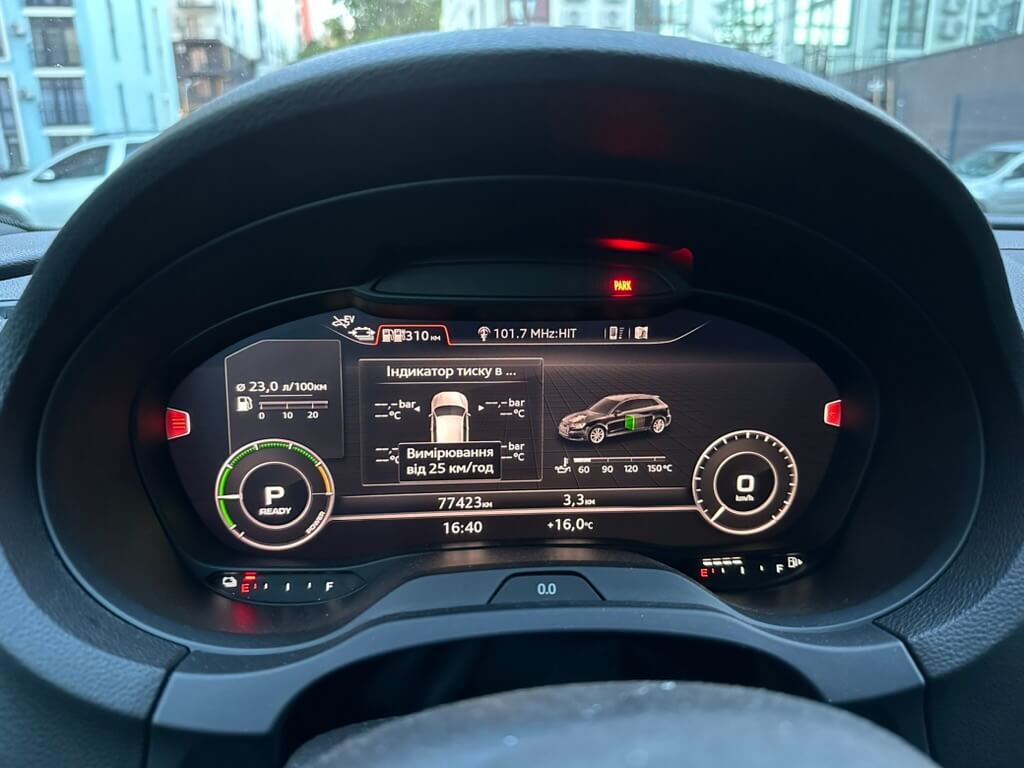
Once you’ve driven around, a message will appear later telling you to save the current tire pressure values in the multimedia system. Save them and enjoy tire readings on the cockpit and multimedia screens.
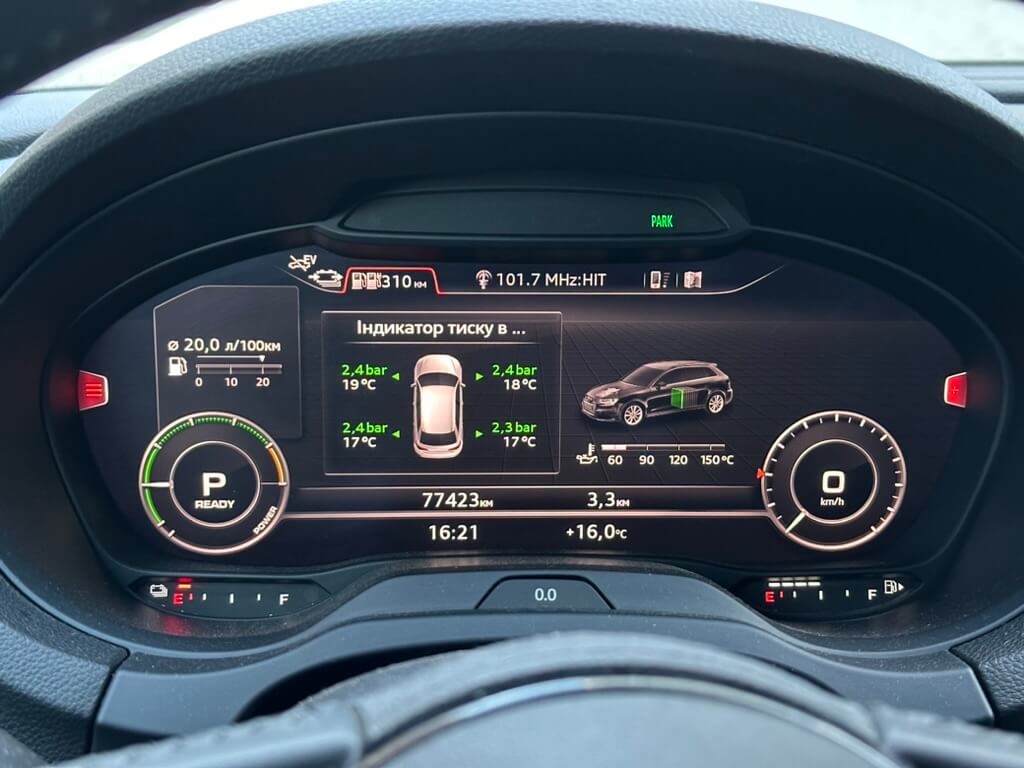
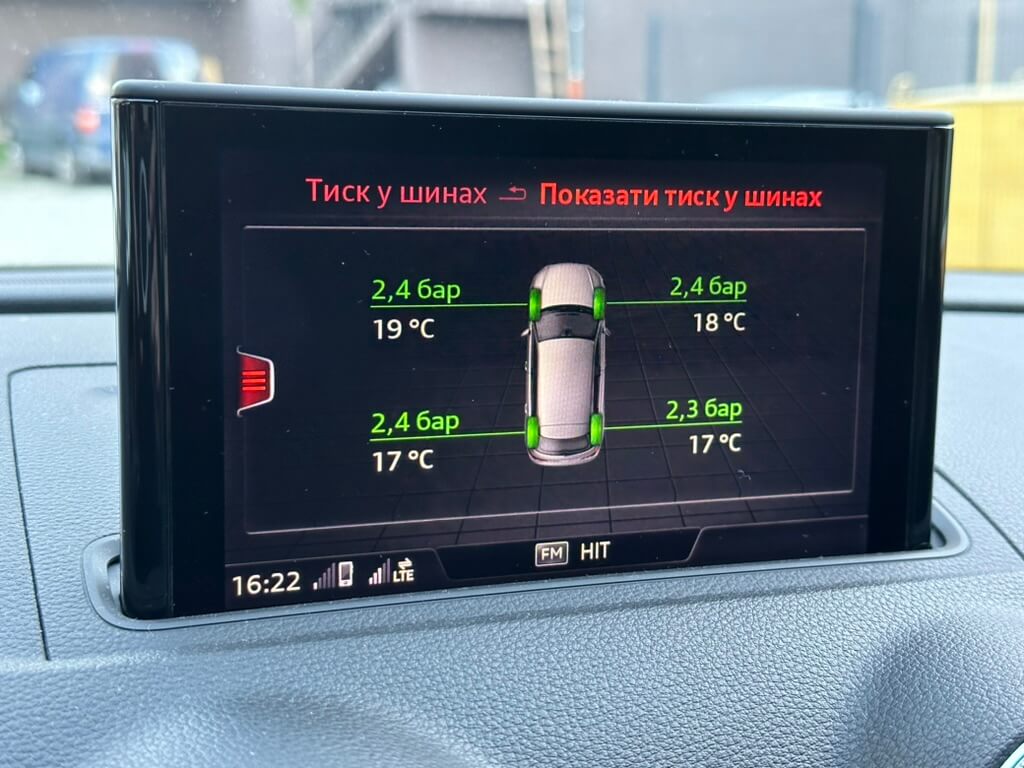
And that’s it — everything works great.