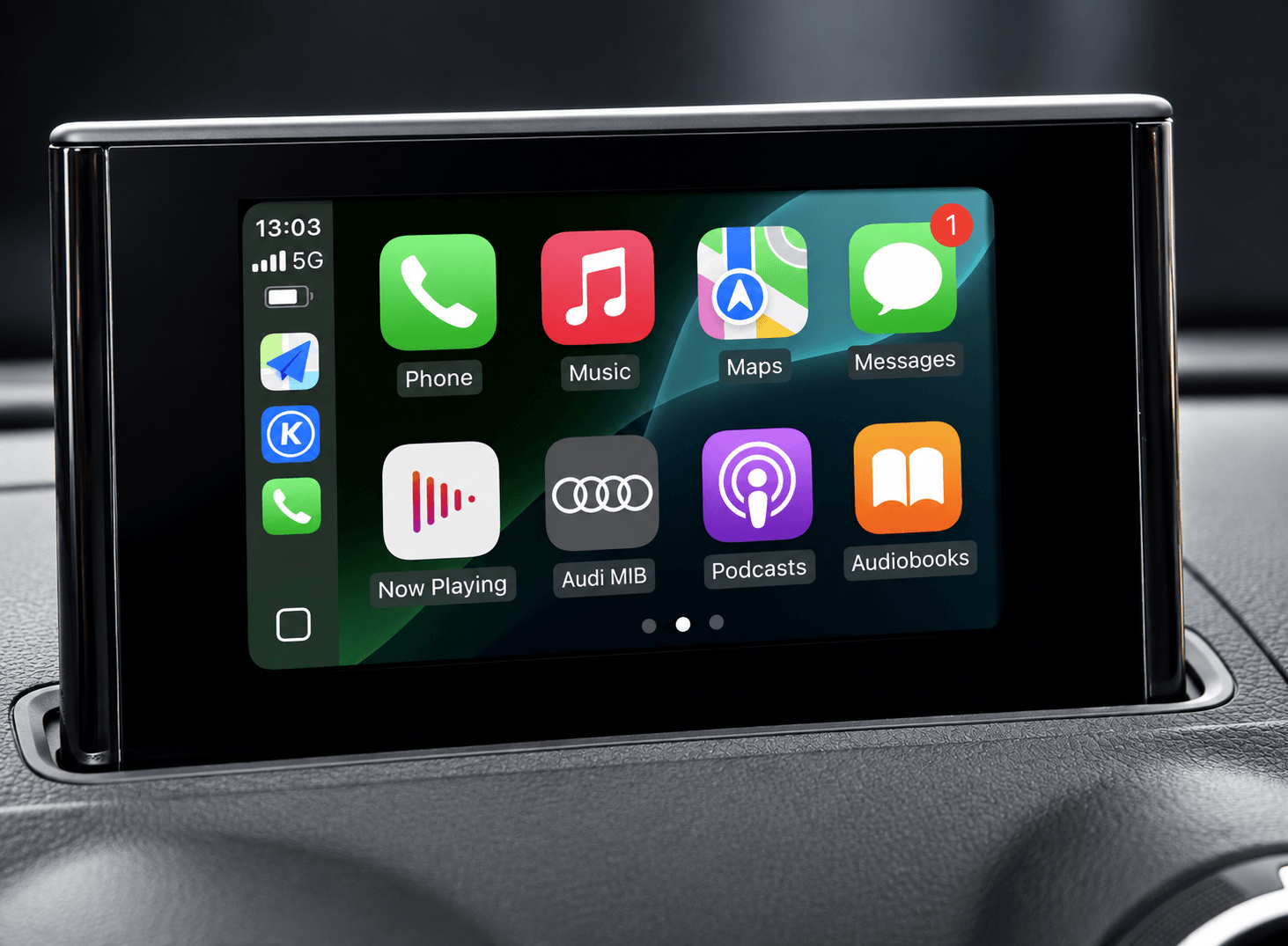
When I got my facelift A3 e-tron, it was my first experience of CarPlay in this particular car. On the whole CarPlay worked fine and raised no questions, but over time I started noticing features that simply didn’t work.
Everything below is about one specific head unit: a 2017 Audi A3 8V Sportback e-tron, MIB2 High, firmware MU1326-MHI2_ER_AU37x_P5089, with the Virtual Cockpit (FPK) cluster. Inside it’s QNX 6.5 on a Tegra 3, ARMv7.
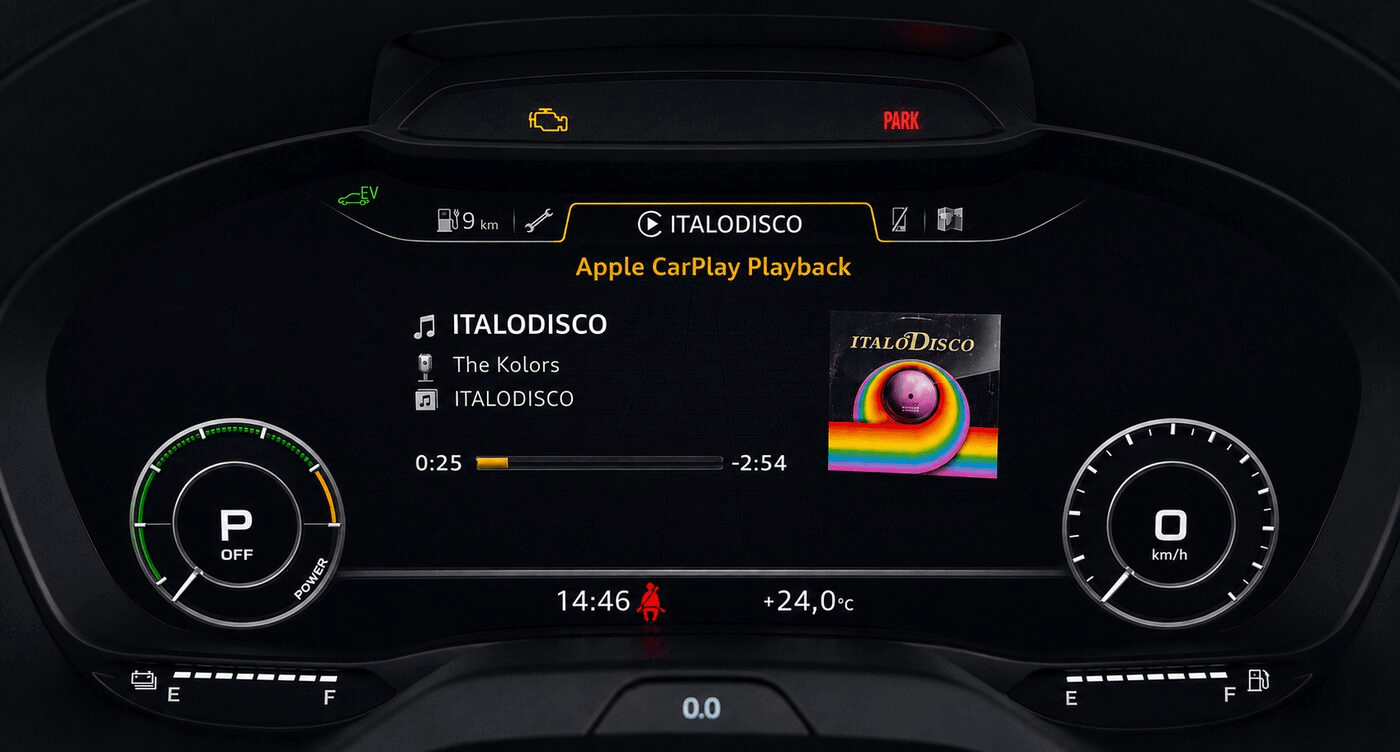
The most obvious missing feature is the lack of album art in the instrument cluster when music is playing over CarPlay (Apple Music, YouTube Music and so on).
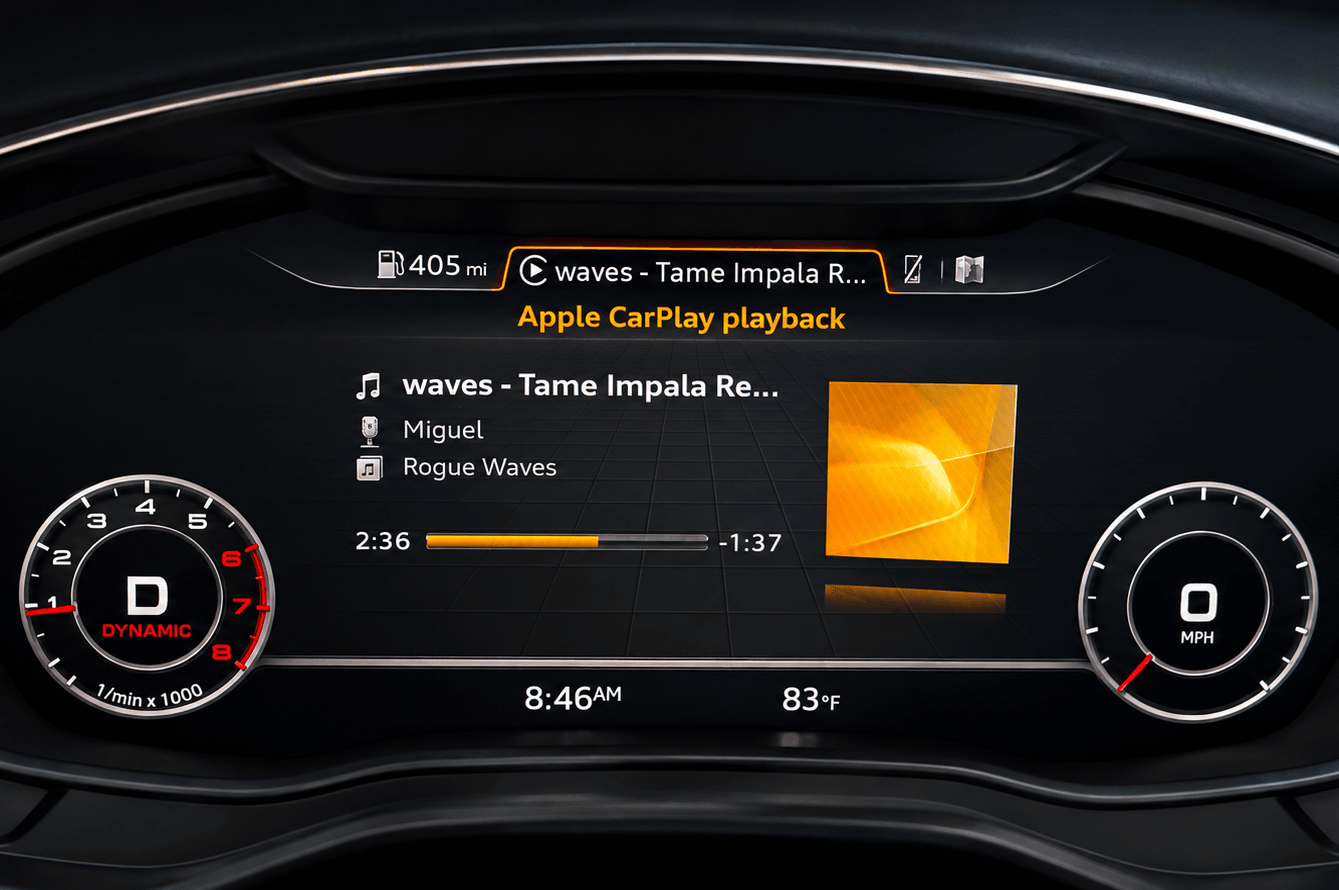
At the same time the artwork shows up perfectly well when the music comes from Bluetooth or any other source. For some reason Audi’s engineers never finished this part of CarPlay (and probably of Android Auto too). And no later MIB2 update ever added it.
The second feature that could have worked but wasn’t implemented at the factory is the touch surface on the MMI rotary knob being used inside CarPlay.
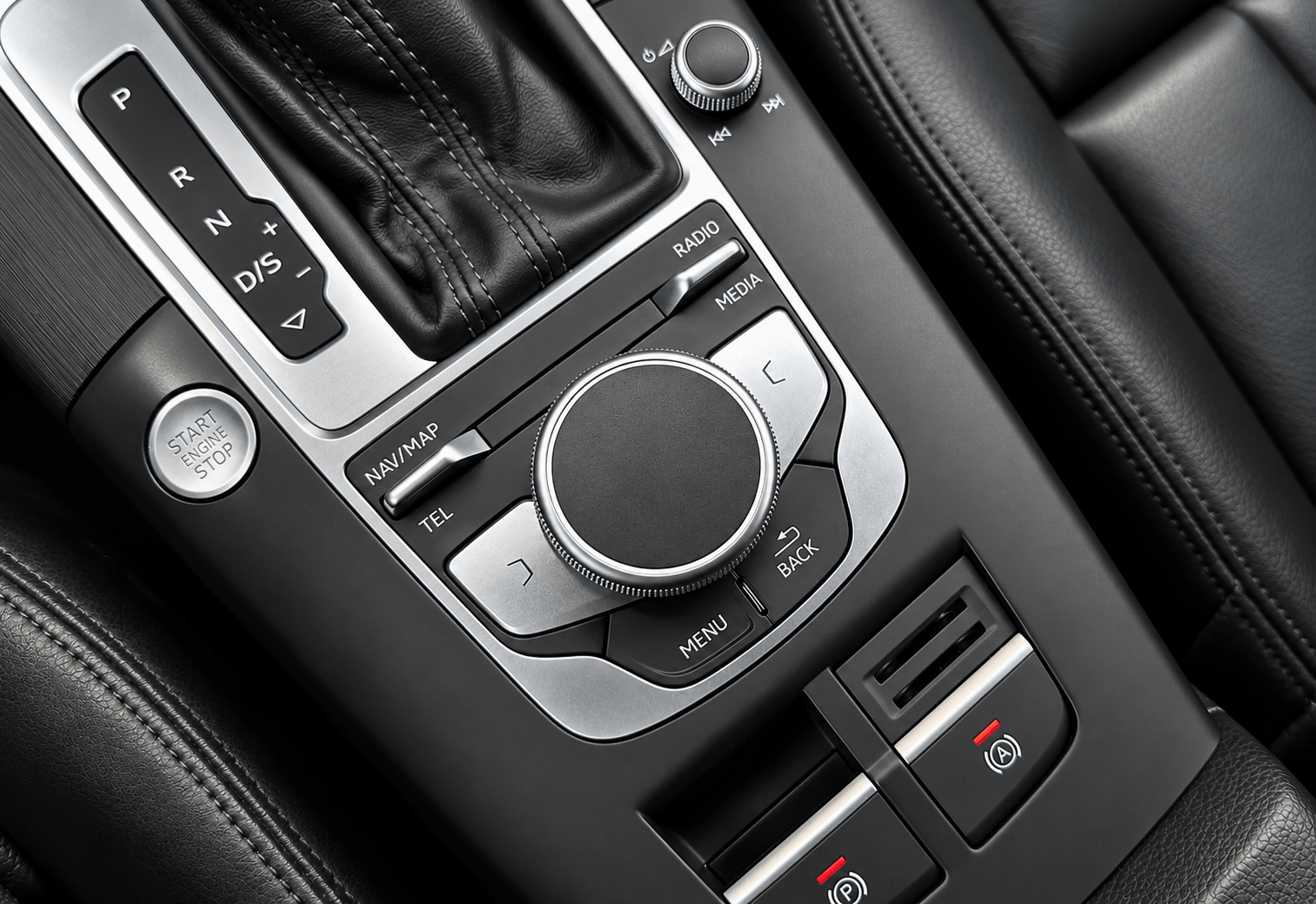
That one wasn’t implemented either. Possibly touchscreen head units weren’t popular yet when the car came out, so they decided to skip it.
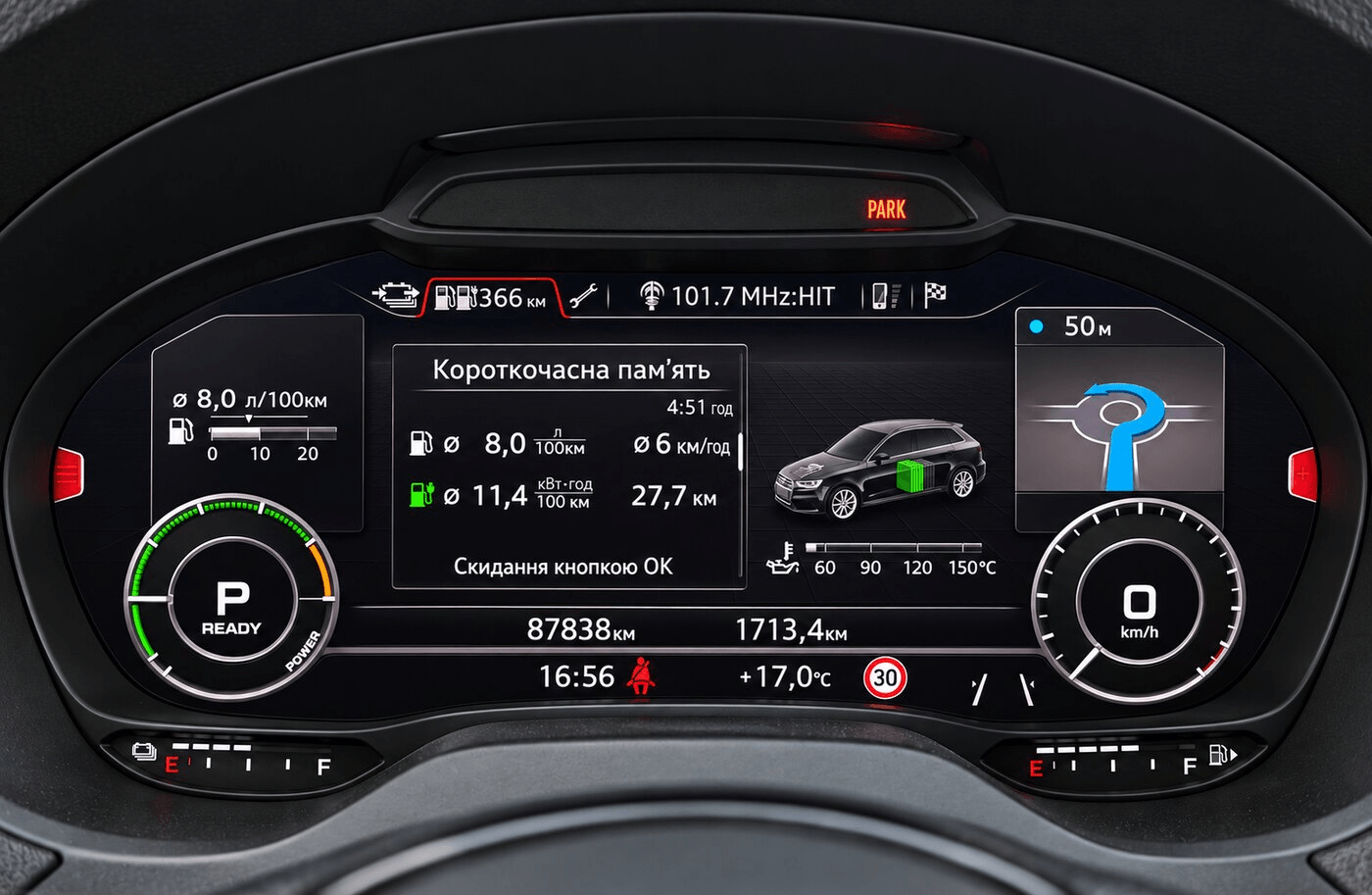
I also recently saw that Luka, from the Virtual Cockpit and MIB chat on Telegram, published his own CarPlay modifications for MHI2Q. Among other things he got CarPlay turn-by-turn maneuvers onto the cluster — that is, set a route in Google Maps on CarPlay and you can see the maneuvers in the instrument cluster and the HUD.
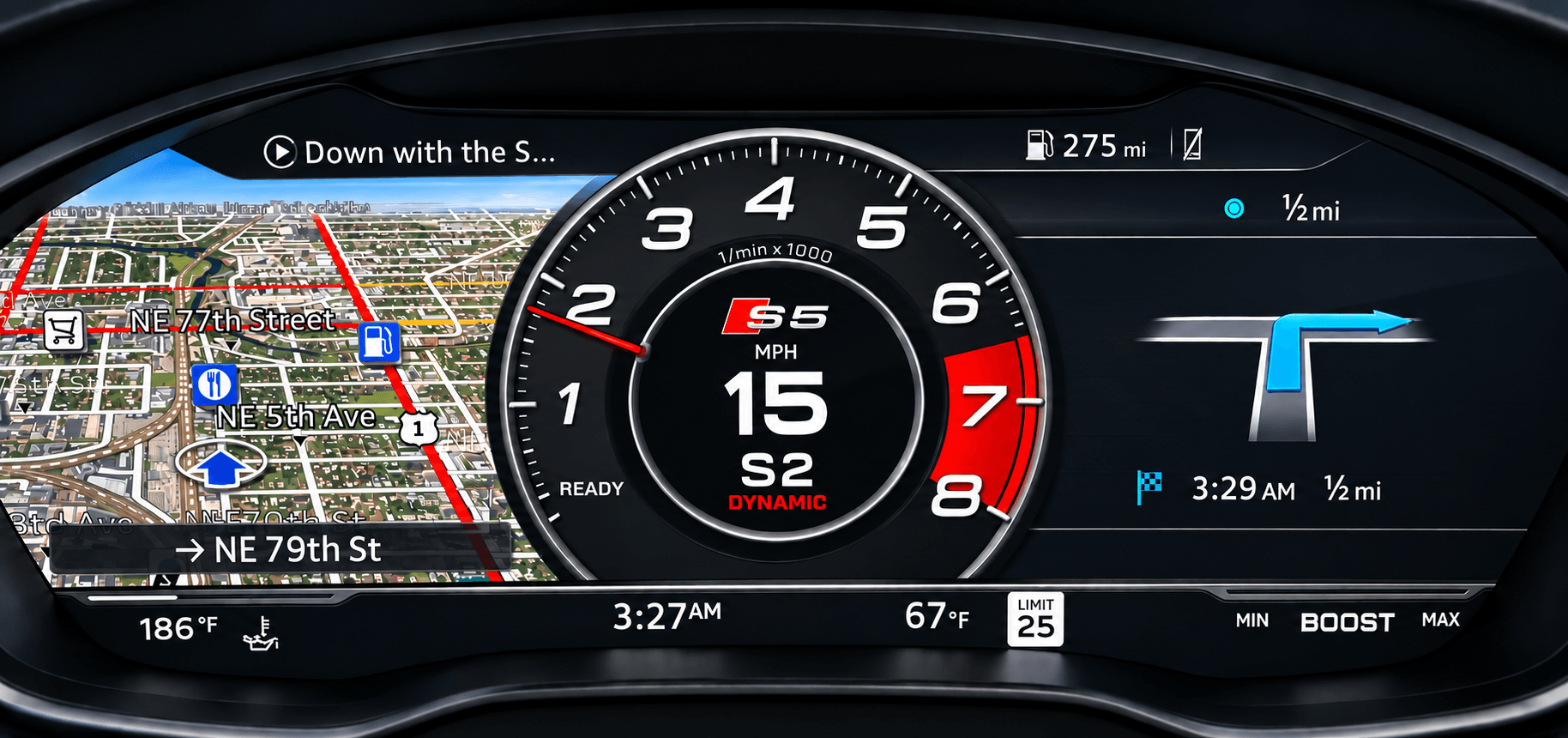
His solution can’t be ported to MHI2 (our head unit) as is. He has a Cinemo stack on Qualcomm, we have QNX 6.5, Tegra 3, ARMv7. His CarPlay driver sits on the Cinemo stack, ours is Harman. And his maneuvers are rendered right on the MIB, while we have nothing of the sort at all.
The difference runs deeper than it looks. On Luka’s unit the iPhone protocol is handled by the Cinemo library inside the dio_manager process, and its send/receive functions can simply be wrapped with your own — call the original, then look at the bytes. On ours the protocol lives in the Harman driver (mm-ipod plus ipod-drvr-iap2.so), and there is nothing to wrap: the head unit enters the driver not by function name but through a table of pointers inside it. So the entry point had to be found in the binary itself, and the pointer to the packet-receive function replaced with ours.
I know next to nothing about the technical side of the MIB, but AI is very much part of our lives now, so I decided to try finishing these features off with its help. I used Claude Opus 5 High for the work.
To get started I put together a folder with a full backup of the MIB firmware and Luka’s project, and Luka also managed to decompile the Java files of my firmware, effectively giving me the sources of the Java stack. I also wrote a few simple skills for Claude: connecting to the MIB right there in the car (over the network), shell access and so on.
Claude handled the first two features — dpad and album art — fairly quickly. The dpad took essentially one pass; the first working version of cover art took about three, and it would have been faster if we had realised sooner that Picture_Upload_Download has to be enabled in the cluster’s adaptations. Then came the polishing: the artwork would appear with a long delay, or glitch when skipping through tracks quickly, or fail to show up at all if a song was already playing on the phone before CarPlay connected, plus a few other bugs. I spent a couple of hours in the car after work watching Claude look for answers.
With those two done, I wanted CarPlay navigation maneuvers on the Virtual Cockpit. I asked Claude to analyse everything and try to port the feature from Luka’s project. That’s where I hit a small wall. Claude said straight away that Luka renders on the MIB itself through a dedicated component, that we have no such component, and that our stock head unit has no maneuver animation whatsoever — the built-in navigation draws maneuvers as static images, while Luka’s are real-time 3D graphics. In theory we could render on the GPU too, but the NVIDIA driver on this unit has no shader compiler at all: it only accepts shaders as pre-built binaries for its exact driver version, and there is nowhere to build those.
Getting the maneuvers to arrive at the head unit in the first place is a story of its own. The Harman driver knows nothing about CarPlay navigation messages: that message group is missing from its protocol tables, and from the config as well. The phone only sends maneuvers to something that declared itself a “navigation display” when it connected, and there is no stock way to make that declaration — the setting simply doesn’t exist in this firmware. So the declaration had to be spliced byte by byte into the already-assembled identification packet, on the fly. After that the iPhone started sending a stream of maneuvers this head unit had never seen once in its life.
And that’s when the real trouble showed up: about thirty seconds after connecting, CarPlay would freeze solid. It took several evenings to track down, and the cause turned out to be elegant. The driver has a receive pool of just six packets. Every maneuver message reaches a handler that doesn’t know such messages exist and returns an error code. The calling code treats any positive value as “the link took the packet, it’s not mine any more” and never returns it to the pool. Six maneuvers later the pool is empty and reception is dead for good. This can’t happen on Luka’s setup by design: his library hands over ready-made bytes and never exposes a pool. The fix is to return the packet ourselves. After it: six minutes under load without a single stall.
Claude suggested not rendering the maneuvers on the MIB at all, but pre-rendering them on a PC: split each maneuver’s animation into frames, and let the MIB simply play them back at a fixed rate. Luckily Luka’s repository contained both the maneuvers themselves and the tool that renders them.
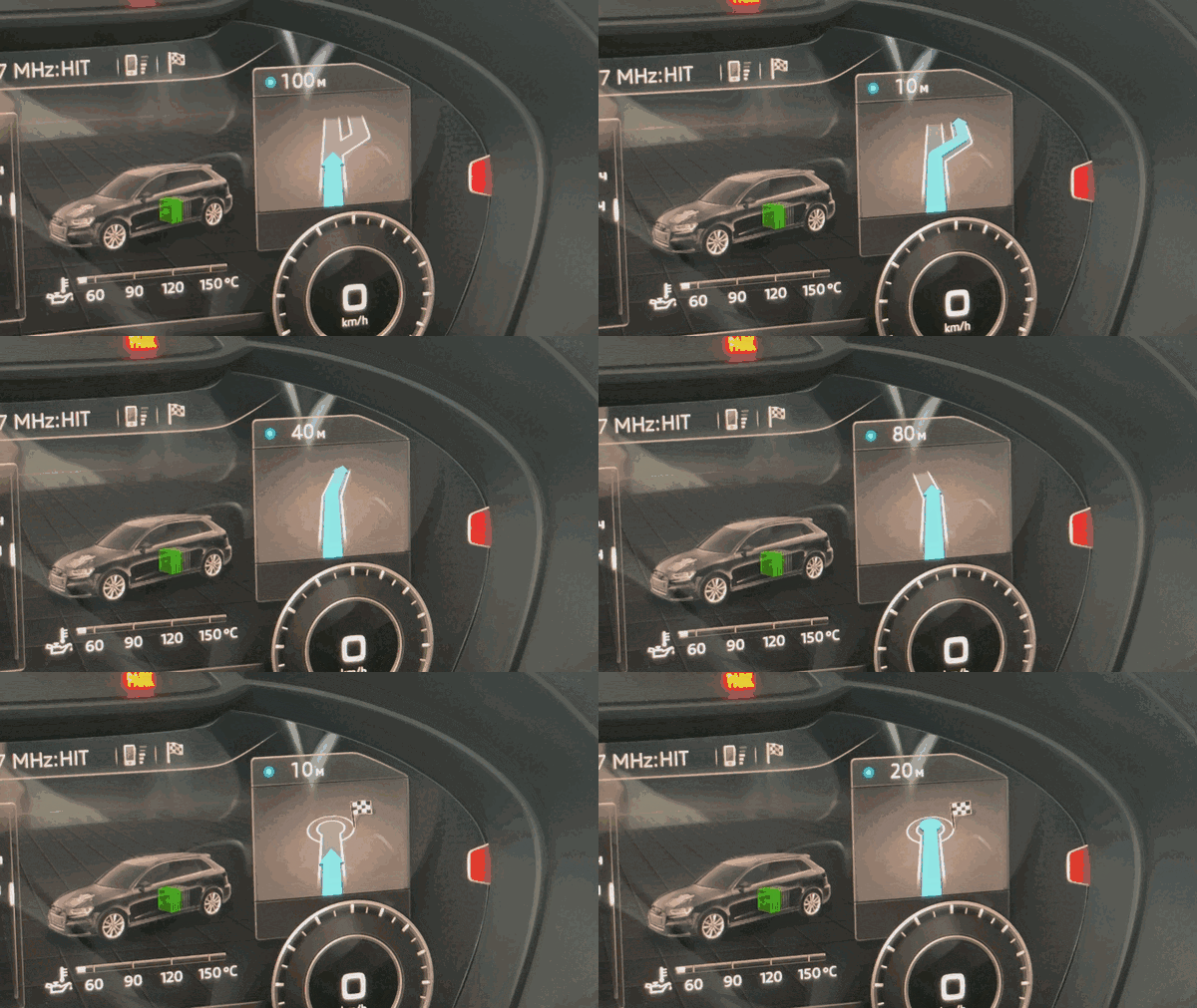
Claude rendered every maneuver, split each one into frames and built a demo, and I sat in the car watching the animations on the cluster while Claude asked which frame rate looked better and monitored performance in parallel. Between us we settled on 18 frames per second: at 12 the animation looks sluggish, while 30 hung the MIB and took the whole system down. We never measured exactly where the limit sits between them — we kept 18 with some headroom.
At first we only pre-rendered one view, but the cockpit has two — a large stage and a small one. We had to render the small stage as well. The two differ in size (328×181 and 210×153 pixels) and in background; the background, incidentally, had to be drawn from scratch — the stock one turned out too dark and too noisy to compress properly. There is a third stage as well, the sporty cockpit layout, but my cluster is the e-tron version where it doesn’t work fully, so I skipped it. As of now there are about 3,600 rendered frames — 1,787 per stage, covering 47 different maneuvers.
After that Claude spent a very long time working out how to actually get the maneuver tile on screen; overlaps kept appearing and CarPlay kept freezing. That took several days and four-hour stints in the car. Then it all had to be tested on a real drive, so I drove around the neighbourhood a few times as well.
Amusingly, the maneuver tile on the cluster ends up assembled from two halves. We draw the arrow — that’s our image on the cockpit’s stock backing. But the “600 m” above it is drawn by the cluster itself: we hand it the distance over a separate channel, as text. We send the street name too, but for some reason the cluster doesn’t display it — still to be figured out.
Real drives turned up a whole batch of details you’ll never see at a desk. For instance, the iPhone doesn’t send the whole route but a sliding window of two maneuvers, swapping them around roughly twice a second — which made the arrow flip between the actual turn and a “continue straight” placeholder. Or the distance disappearing within about 200 metres of the turn: it turned out the cluster switches to a progress bar instead of the number at that point. Or losing GPS mid-route, which is indistinguishable from the route simply ending. All of that only shows up on the road.
Google Maps hasn’t properly updated its maps in Ukraine since 2022 and builds routes badly, often against traffic rules, but it does send maneuver data — unlike Waze. Waze stopped sending maneuver data to CarPlay some time ago for reasons of its own; hopefully it comes back, and then the cluster will work with it too.
I’ve published my project on GitHub: https://github.com/chefranov/mhi2-au37x-carplay
There are bound to be plenty of bugs left in it. I have no influence over the data itself or over which navigation apps support it: CarPlay has its own data format, I read it and pass it to the cluster, but whether an app sends that data at all is up to the navigation app.
One caveat up front: all of this was done on my own car and at my own risk. Work like this mounts the head unit read-write and replaces stock files, and any experiment here is potentially a trip to the dealer. Everything I installed can be rolled back to stock, but if you’re not prepared for your head unit to stop booting one day, don’t repeat it.
Special thanks to Luka: without his work on the cluster side and without his set of maneuvers, all of this would have taken many times longer. The Java half of his project mapped onto our head unit almost one to one — all the trouble was around the driver and the graphics.
That’s all — safe roads!